April 1, 2026
Haptic Feedback and Micro-Animations: Small UI Details That Triple App Engagement
Milaaj Editorial / Research Insights
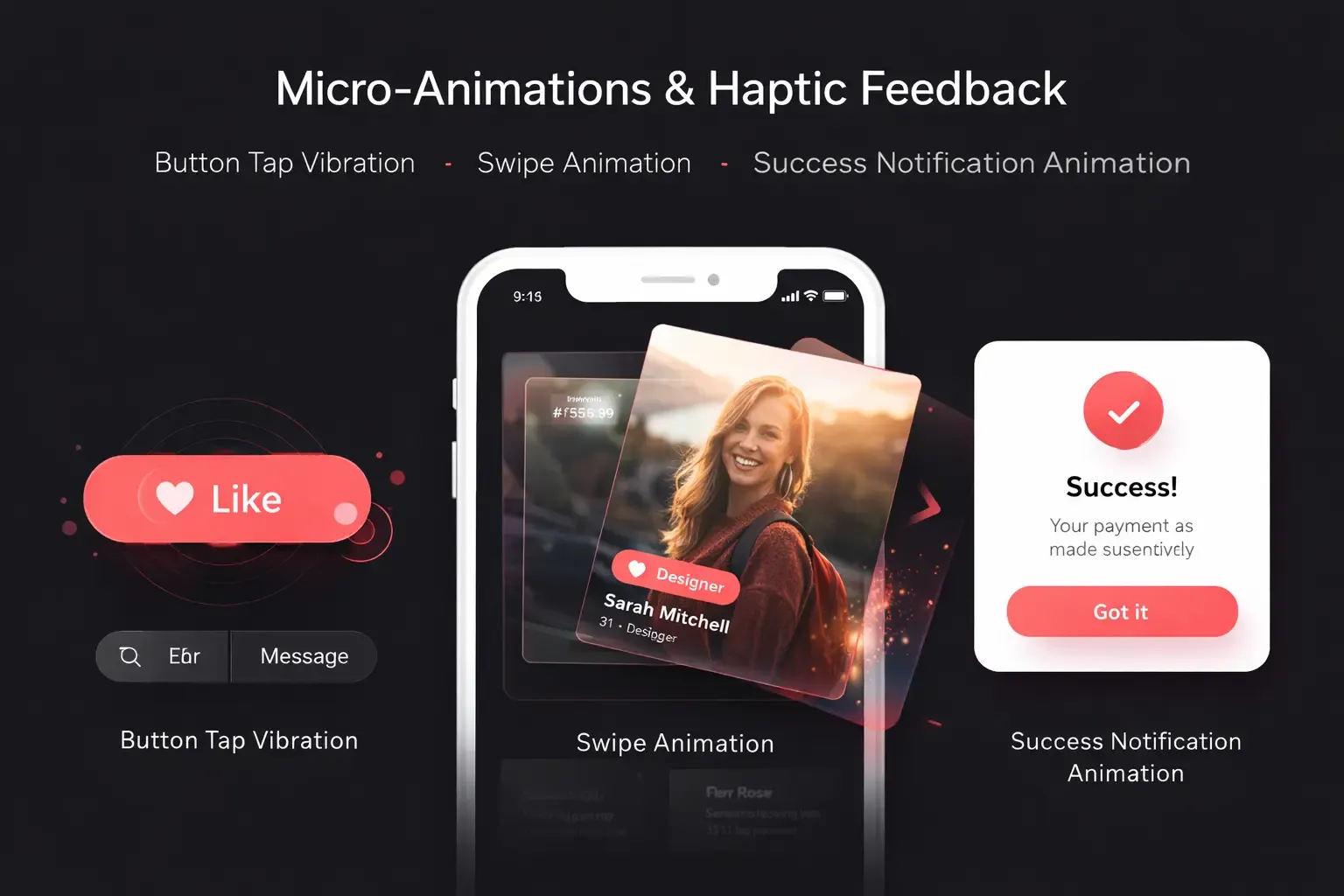
Haptic feedback and micro-animations are small UI details that make a big difference in mobile app engagement. Many businesses focus on features and performance, but user experience is often what determines whether users continue using an app or uninstall it. Small interactive details like vibrations, button animations, swipe effects, and visual feedback make apps feel more responsive, interactive, and user-friendly.
Haptic feedback and micro-animations improve mobile app user experience by providing instant feedback, guiding users through actions, and making the interface feel alive. These small UI elements can significantly improve user engagement, retention, and overall satisfaction.
This guide explains how haptic feedback and micro-animations work, why they are important, and how to use them correctly in mobile app design.
What Is Haptic Feedback in Mobile Apps?
Haptic feedback is the use of vibration or tactile response when a user interacts with an app. It provides physical feedback to confirm that an action has been completed.
Common examples of haptic feedback include:
- vibration when typing on a keyboard
- vibration when pressing a button
- feedback when toggling a switch
- vibration for notifications
- feedback for successful payment or error alerts
Haptic feedback improves mobile app usability because users receive physical confirmation that their action was successful.
Why Haptic Feedback Improves User Experience
Haptic feedback is important in mobile UX design because it creates a sense of interaction between the user and the app. Instead of just seeing a change on the screen, users can feel the interaction.
Benefits of haptic feedback include:
- improves user interaction
- provides instant feedback
- reduces user errors
- makes the app feel more responsive
- improves accessibility
- increases user satisfaction
Apps that use haptic feedback correctly often feel more premium and polished.
What Are Micro-Animations in UI/UX Design?
Micro-animations are small animations that guide users, provide feedback, and improve navigation. These animations are usually subtle and fast, but they play a big role in user interface design.
Examples of micro-animations include:
- button click animation
- loading animation
- swipe animation
- menu opening animation
- notification animation
- progress indicators
- like button animation
- pull-to-refresh animation
Micro-animations help users understand what is happening in the app and what they should do next.
How Micro-Animations Improve App Engagement
Micro-animations improve app engagement because they make the app more interactive and easier to use. They guide users visually and reduce confusion.
Micro-animations help:
- guide users through navigation
- show system status
- provide visual feedback
- improve user flow
- make the app feel faster
- make the interface more engaging
For example, when a user clicks a button and it animates instantly, the app feels responsive. Without animation, users may think the app is slow or not working.
The Psychology Behind Haptic Feedback and Micro-Animations
Haptic feedback and micro-animations work because of human psychology. Users need feedback when they perform an action. If there is no feedback, users feel disconnected from the interface.
These UI elements trigger:
- sensory feedback (touch)
- visual feedback (animation)
- emotional response (satisfaction)
- behavior reinforcement (repeat actions)
This is why social media apps, banking apps, and e-commerce apps use micro-interactions heavily. They keep users engaged and encourage them to continue using the app.
Best Places to Use Haptic Feedback in Apps
Haptic feedback should be used in important interaction points, not everywhere. Too much vibration can annoy users.
Best places to use haptic feedback:
- login success
- payment success
- error alerts
- button press
- toggle switch
- drag and drop
- form submission
- fingerprint or face unlock
Using haptic feedback in these areas improves user confidence and interaction.
Best Places to Use Micro-Animations in Apps
Micro-animations should guide users and improve navigation, not distract users.
Best places to use micro-animations:
- onboarding screens
- menu transitions
- page transitions
- loading indicators
- success messages
- error messages
- notifications
- swipe actions
- add to cart animation
These animations improve user interface animation and make the app easier to use.
Best Practices for Using Micro-Animations and Haptic Feedback
To improve mobile app user experience, these UI elements must be used correctly.
Best practices include:
- keep animations fast and smooth
- use animations to guide users
- use haptic feedback only for important actions
- do not overuse animations
- make animations consistent
- test on different devices
- optimize animation performance
- focus on usability, not decoration
Good UI animation design improves usability, while bad animation design slows down the app.
How These Small UI Details Increase App Retention
User retention is one of the most important metrics for mobile apps. Apps that feel interactive and responsive keep users longer.
Haptic feedback and micro-animations improve retention by:
- making the app enjoyable to use
- reducing confusion
- improving navigation
- creating a premium user experience
- increasing user satisfaction
- encouraging users to interact more
When users enjoy using an app, they are more likely to return and use it again.
Common Mistakes to Avoid
Many apps use animations and haptic feedback incorrectly, which can reduce user experience.
Avoid these mistakes:
- too many animations
- slow animations
- unnecessary vibrations
- inconsistent animation styles
- animations that block user actions
- animations that reduce app speed
Animations and haptic feedback should improve usability, not reduce performance.
Conclusion
Haptic feedback and micro-animations may seem like small UI details, but they have a big impact on mobile app engagement, user experience, and retention. These interactive elements provide feedback, guide users, and make apps feel more responsive and user-friendly.
Businesses that invest in mobile UX design, interactive UI design, and user experience optimization can significantly improve app engagement and customer satisfaction. Well-designed micro-interactions make apps feel modern, professional, and easy to use.
If you want to improve your mobile app user experience, increase engagement, and build a high-quality app interface, investing in professional UI UX design and mobile app development services is a smart long-term strategy. Milaaj Brandset can help you design interactive, user-friendly mobile apps that improve engagement, retention, and overall user satisfaction.
FAQs
What is haptic feedback in mobile apps?
Haptic feedback is vibration or tactile response when a user interacts with an app.
What are micro-animations in UI design?
Micro-animations are small animations that provide feedback and guide users through the app.
Do micro-animations improve user engagement?
Yes, micro-animations make apps more interactive and improve user experience and engagement.
Can too many animations slow down an app?
Yes, heavy animations can reduce app performance if not optimized properly.
Where should haptic feedback be used?
It should be used for important actions like button press, payment success, and error alerts.
Do micro-interactions improve app retention?
Yes, interactive UI elements improve user satisfaction and increase retention.
Are micro-animations important for UX design?
Yes, they improve navigation, feedback, and overall usability.
What is the main benefit of haptic feedback and micro-animations?
They make apps feel responsive, interactive, and user-friendly.

Ready to Elevate Your Brand?
Start Your Project Today