October 15, 2026
Building a Bilingual Arabic-English Website: RTL Design Done Right
Milaaj Editorial / Research Insights
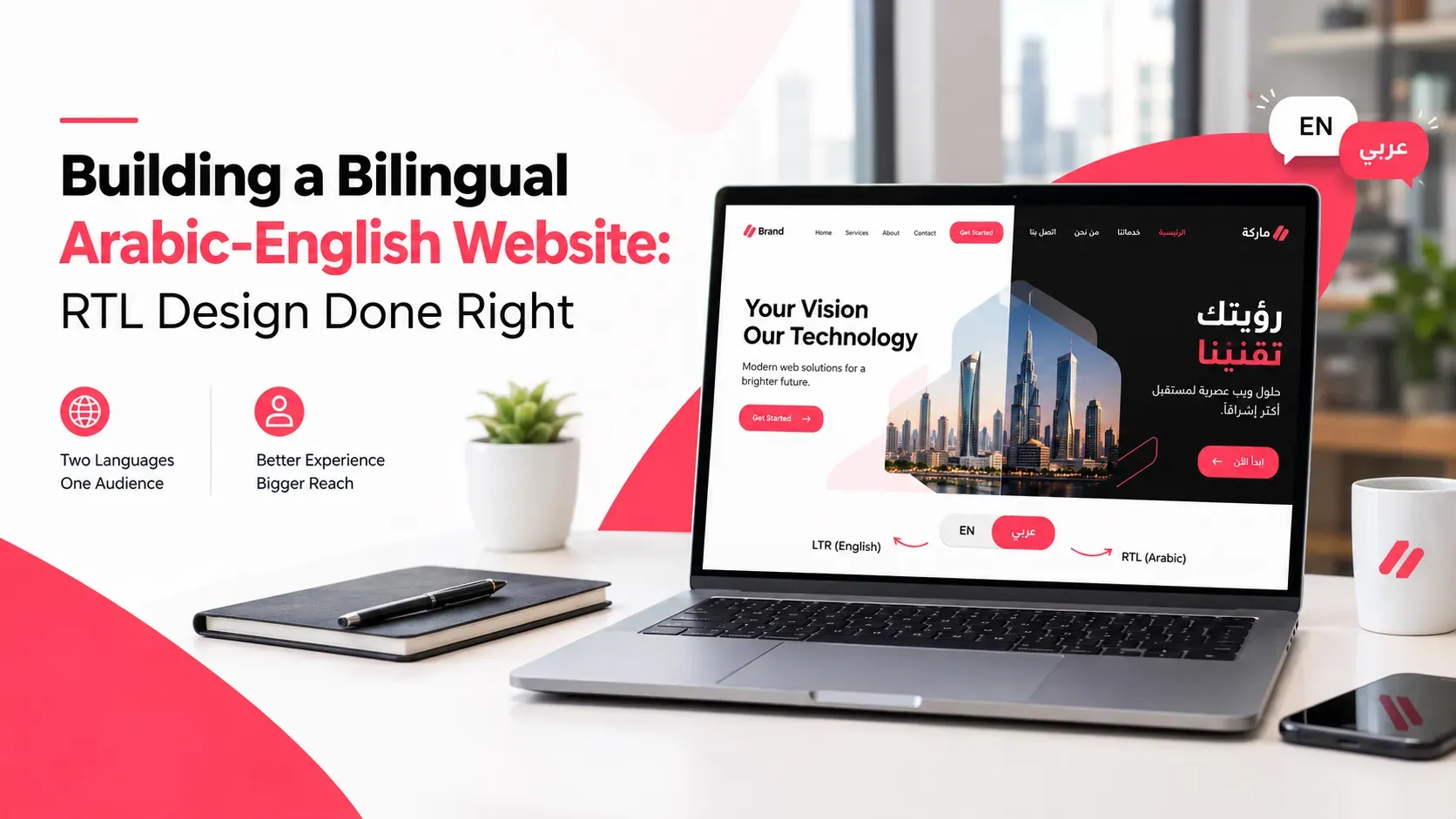
You send your developer the Arabic translation and ask for a second language switch. A week later you open the Arabic page and find the text aligned to the wrong side, the arrows pointing the wrong way and the phone number scrambled.
Nothing is technically broken. The site was simply translated, not designed for Arabic.
A good bilingual Arabic English website is built differently from the start. This guide walks through the design, the code, the SEO and the testing, so both versions feel native to the people reading them.
Quick Answer
To build a bilingual Arabic English website, give each language its own URL, set the page direction to right-to-left for Arabic with the correct language code, mirror the layout using logical CSS, choose readable Arabic fonts, and link the versions with hreflang tags. Then have a native speaker test every page and form before launch.
Key Takeaways
- RTL design means the whole layout flows right to left, not just the text.
- Set direction in the HTML, not only in CSS, and use logical CSS properties so layouts adapt.
- Give Arabic and English separate URLs and link them with hreflang so Google understands both.
- Test fonts, forms, numbers and icons with real Arabic content, not placeholder text.
- Translation needs human review, because tone and terms matter as much as grammar.
What Is a Bilingual Arabic English Website?
It is a website that offers its full experience in both Arabic and English, with each version designed for how that language is read.
Why translation alone is not enough
Arabic reads from right to left. Menus, image placement, progress bars and form fields all follow that flow. If you only swap the words, the page looks like an English page wearing Arabic text.
Why it is worth doing in the UAE
Your customers speak many languages, and a clear Arabic version shows respect and builds trust with those who prefer it. It also lets you reach people searching in Arabic, which an English-only site cannot do.
What Does RTL Design Actually Mean?
RTL stands for right-to-left. In an RTL layout, the starting point of the page is the right side.
That changes more than alignment:
- Navigation starts from the right.
- Text and headings align right.
- Layout columns swap sides, so an image on the left in English sits on the right in Arabic.
- Directional icons such as back and next arrows usually flip.
Some things should stay as they are. Logos, photographs, phone numbers and media controls such as the play button are normally left alone.
If you are building an app rather than a website, our guide to RTL design for Arabic mobile apps covers that case.
How Do You Set Up a Bilingual Arabic English Website Technically?
Get the foundations right in the code, and everything else becomes easier.
Set direction and language in the HTML
W3C guidance says to add dir="rtl" to the html tag for a right-to-left page and to declare the language with lang, since language does not decide direction. It also advises against using CSS to set base direction.
<html lang="ar" dir="rtl">
For the English version, use lang="en" and dir="ltr".
Use logical CSS
W3C also recommends logical properties, which use "start" and "end" instead of "left" and "right." A margin set to the start side flips automatically when direction changes, so you do not need a separate stylesheet for every rule.
Handle user-entered text
For search boxes, comments and form fields, dir="auto" lets the browser detect direction from the first strong character. This helps when visitors type English names into an Arabic page, or the reverse.
Which Fonts and Typography Work for Arabic?
Arabic needs more care than simply picking a font with Arabic support.
- Choose readable fonts. Test several fonts at real sizes on phones and desktops.
- Give the text room. Arabic text often reads better with a slightly larger size and more generous line height than the English text beside it, so test both.
- Match the two scripts. Pick Arabic and English fonts that feel like one family in weight and style.
- Avoid forced letter spacing. Arabic letters connect, so spacing that works in English can break the flow.
- Decide on numerals. Use either Western digits or Eastern Arabic digits, and stay consistent.
The right test is simple: ask a native reader to read a full paragraph on their phone. If they squint, change the font or size.
How Do You Design Layouts, Forms and Navigation for RTL?
This is where bilingual sites usually break.
- Mirror the layout. Columns, sidebars and image-and-text blocks should swap sides.
- Check forms. Labels, placeholders, error messages and field order should all read naturally in Arabic.
- Review icons. Flip arrows and progress indicators, but not logos or media controls.
- Watch mixed text. Phone numbers, product codes and English brand names inside Arabic sentences can display in the wrong order if not handled properly.
- Rethink the language switcher. Make it easy to find on every page, and label each language in its own script.
Good bilingual layouts come from UX thinking, not just styling. An experienced UX design team in Dubai will test flows like checkout and enquiry forms in both directions, so one language is never an afterthought.
Should You Use Separate URLs for Arabic and English?
Yes, in most cases. Each language should have its own address, such as a language folder or subdomain.
Separate URLs let you:
- Link directly to the Arabic or English version.
- Index both versions properly.
- Share links that open in the right language.
- Track traffic for each language.
Keep the structure the same in both versions, so /services/ in English maps to its Arabic equivalent. Avoid a setup where one URL changes language based only on a cookie, because search engines and visitors can then see only one version.
How Do You Do SEO for a Bilingual Website?
Tell Google clearly which page is the Arabic version of which English page.
Use hreflang annotations
Google's guide to localized versions says you can declare language variants in HTML link tags, HTTP headers or an XML sitemap. Each version must list itself and every other version, and if two pages do not point to each other, the tags are ignored.
<link rel="alternate" hreflang="en" href="https://example.com/en/services/" />
<link rel="alternate" hreflang="ar" href="https://example.com/ar/services/" />
<link rel="alternate" hreflang="x-default" href="https://example.com/en/services/" />
Google also suggests an x-default fallback for visitors whose language does not match.
Translate the details that rank
Translate page titles, meta descriptions, headings, image alt text and internal link text, not just the body. Research Arabic keywords separately, because people do not always search the way a literal translation would suggest.
Planning keywords and structure for two languages is a specialist job, and SEO services in Dubai can set up hreflang, Arabic keyword research and sitemaps together.
Which CMS Works Best for Bilingual Sites?
Your CMS decides how painful the next year will be.
Look for:
- Native multilingual support or a well-supported plugin.
- Separate fields per language, so Arabic content is not squeezed into an English template.
- RTL-ready themes or components.
- Translation status, so you can see which pages are missing in which language.
Most major platforms can manage this, but the effort varies. Our comparison of the best CMS platforms for UAE business websites can help you shortlist before you commit.
How Should You Manage Translation and Content Updates?
The biggest long-term risk is not launch day. It is six months later, when the English page is updated and the Arabic page quietly goes out of date.
Set up a simple routine:
- Use human translators or reviewers who write natural business Arabic.
- Agree on key terms such as service names and product names, and use them everywhere.
- Build content updates into the workflow, so editing the English page flags the Arabic one.
- Keep a launch rule: do not publish a page in one language without a plan for the other.
A CMS set up for this makes the routine easy to follow, which is what CMS development services in Dubai are for: language fields, workflows and editor permissions designed around your team.
How Do You Test a Bilingual Arabic English Website Before Launch?
Test both languages on real devices before launch. Check layout direction, fonts, forms, mixed Arabic and English text, language switching and hreflang tags. Have a native Arabic reader complete key tasks, such as submitting an enquiry, and fix every problem before you publish.
Use this checklist:
- Every page exists in both languages, or the missing ones are handled deliberately.
- The dir and lang attributes are correct on each page.
- Forms submit and show messages in the right language.
- Phone numbers, emails and codes display correctly inside Arabic text.
- Hreflang tags are reciprocal and point to live pages.
- Page titles and meta descriptions are translated.
- The language switcher works from every page.
Milaaj Brandset recommends treating this test as part of the build, not an extra, because many bilingual bugs only show up when a real reader tries the site.
Frequently Asked Questions About Bilingual Arabic-English Websites
What is RTL design and why does it matter for Arabic websites?
RTL means right-to-left. Arabic is read from right to left, so layouts, navigation, forms and icons need to flow that way. Without RTL design, an Arabic page feels awkward and can be hard to use.
Should Arabic and English versions use separate URLs?
Usually yes. Separate URLs let search engines index both versions, let people share links in the right language and make tracking simpler. Link the versions together with hreflang tags.
Which fonts work best for Arabic websites?
There is no single best font. Choose a readable Arabic font, test it at real sizes on phones and desktops, and make sure it pairs well with your English font. Ask native readers to review a full paragraph.
Do I need to translate every page into Arabic?
Not always on day one, but you need a plan. Start with the pages that matter most, such as the homepage, services and contact. Avoid leaving visitors on a half-translated site without telling them what is available.
Does a bilingual website help SEO in the UAE?
It can, because it lets you appear for searches in both languages. It works best when each version has its own URL, translated metadata and correct hreflang tags. Poorly done translation will not help.
Final Thoughts
A well-built bilingual Arabic English website is not two websites glued together. It is one site that feels natural in both languages, with clean code, readable type and links that tell Google exactly what you are offering and to whom.
Plan the structure first, build for RTL from the start and treat translation as a process, not a one-off job. If you want a team to design and build both versions together, a web design company in Dubai can take you from structure to launch.
Your Arabic-speaking customers will notice the difference. Now you know how to make it a good one.
Ready to Elevate Your Brand?
Start Your Project Today